💳 Telegram
ATTENTION!
Due to Telegram Policy the only payment method allowed is payment via Telegram Stars.
If you decide to use this payment method instead, we assume no responsibility if anything goes wrong.
In order to use Telegram payment, it is necessary to configure a payment provider, i.e. a service that manages payments by the customer, and which interfaces with Telegram to receive the related data.
Telegram allows you to configure various providers:
https://core.telegram.org/bots/payments#supported-payment-providers.
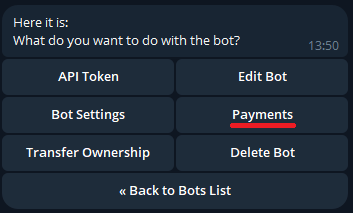
First of all, we need to connect our bot to one of the available providers, starting BotFather and sending the /mybots command.
Once we have selected our bot from the list, we will have to press the "Payments" button
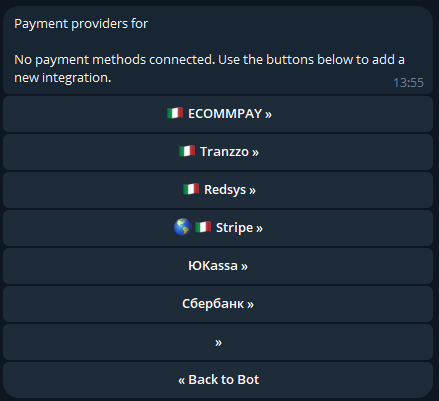
We select one of the providers from the list:
And finally we press the button to connect the TEST mode of the chosen provider to our bot:
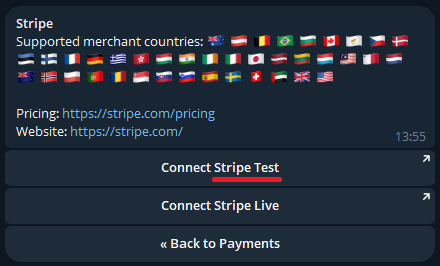
Through the test mode, it will be possible to make non-real payments to verify the correct functioning of the payment via bot.
Through the test mode, it will be possible to make non-real payments to verify the correct functioning of the payment via bot.
Let's now follow the configuration procedure of the chosen provider to continue.
Once the procedure is completed, you need to return to the chat with BotFather, where a secret token will appear in the providers menu:
This token will be inserted in the appropriate space of the Modular-Shop management system.
So let's go to our bot in the shop section:
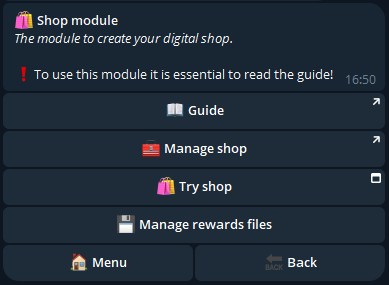
We press on "Manage shop" which will redirect us to our shop management system:
We press the "Settings" button at the top right to get to the payment methods configuration page and paste the token into the Telegram Token - Test field:
Press confirm and the Telegram payment method will be enabled.

Let's now try to make a test payment:
Finally, by pressing the "Card" button, the Telegram payment procedure will be started:
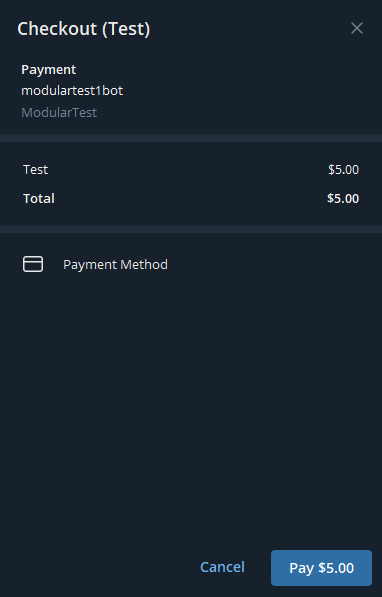
After pressing Pay, enter the following as your card number: 4242 4242 4242 4242. Also enter the other fields with fictitious information:
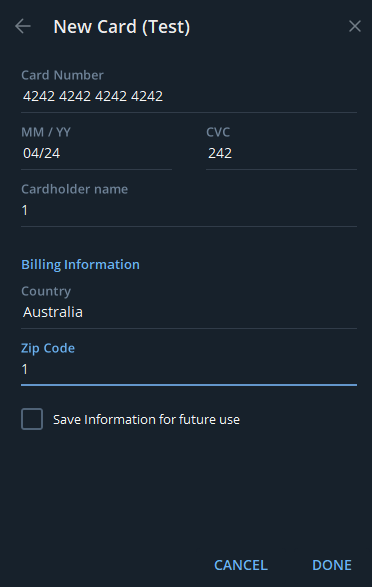
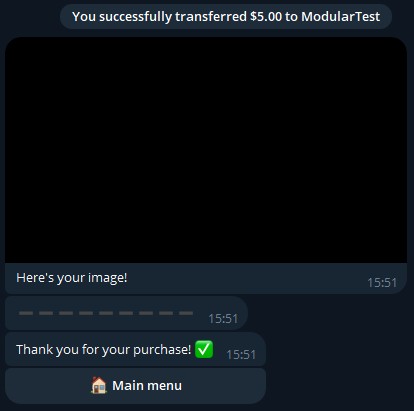
Finally, press Done > Pay > Continue and you will receive the reward for the product you purchased as a test.
We have just seen how to configure Telegram payment in Test mode, we now need to also configure Real mode to allow customers to purchase our products.
Once registration is completed, you will have a second secret token, which you will have to paste in the Telegram Token - Real field of the management system
Only when you have entered the Real Token will your users be able to pay with Telegram payment. The Token Test can remain active and will be used by the bot to make test payments if you administrators want to make a purchase via the bot's “Try the Shop” button.